GA4 Setup Guide (2026): How to Configure Google Analytics 4 Step-by-Step Guide for Beginners
Last updated: March 2026
Learn how to properly set up GA4 for your website, track traffic, and measure conversions. This guide is perfect for Indian business owners who want to grow online.
📌 What You’ll Learn:
Create GA4 property
Install tracking code
Verify data
Track leads
Google Analytics 4 Setup for Beginners in India
This guide explains how to configure Google Analytics 4 step by step for Indian websites and businesses.
STEP 01
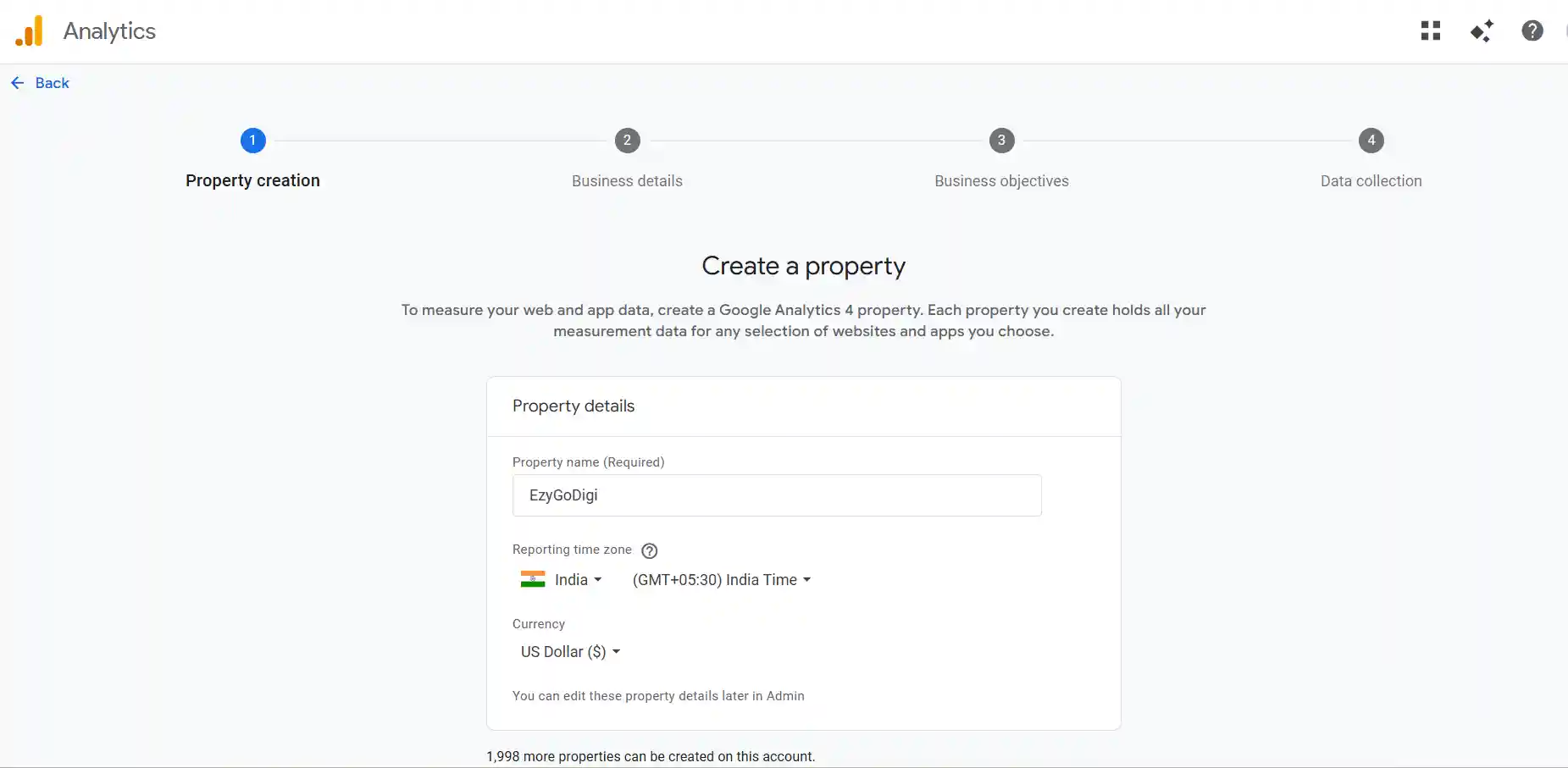
Create GA4 Property
Login to Google Analytics and click on the Admin icon at the bottom left. Then click on Create → Property. Enter your business name, select India as your region, and choose your industry category.
Create property screen
STEP 02
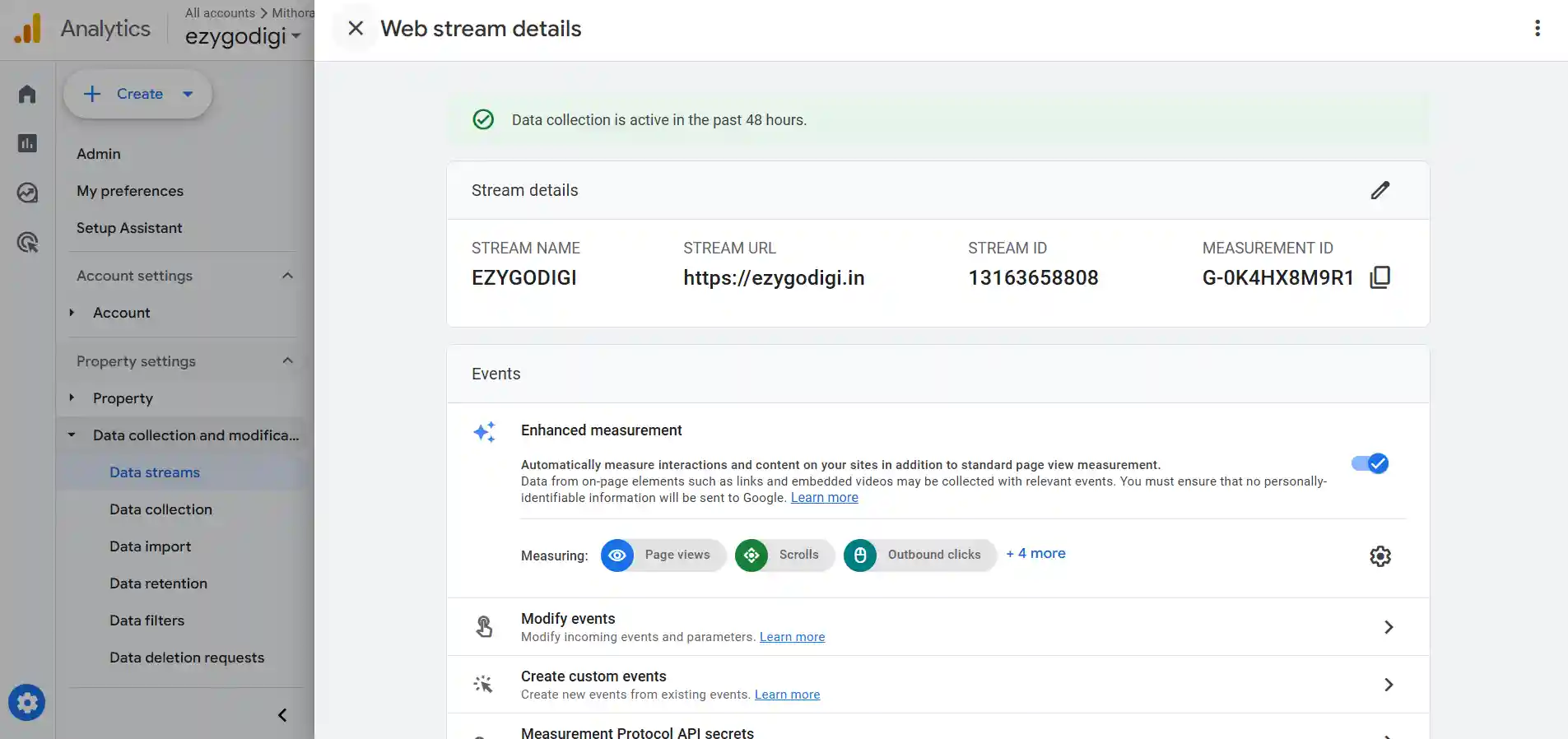
Setup Data Stream
Add your website URL and enable enhanced measurement.
🚀 Don’t want to do this manually?
We’ll set up GA4 + tracking for your business in 24 hours.
Chat Now →
STEP 03
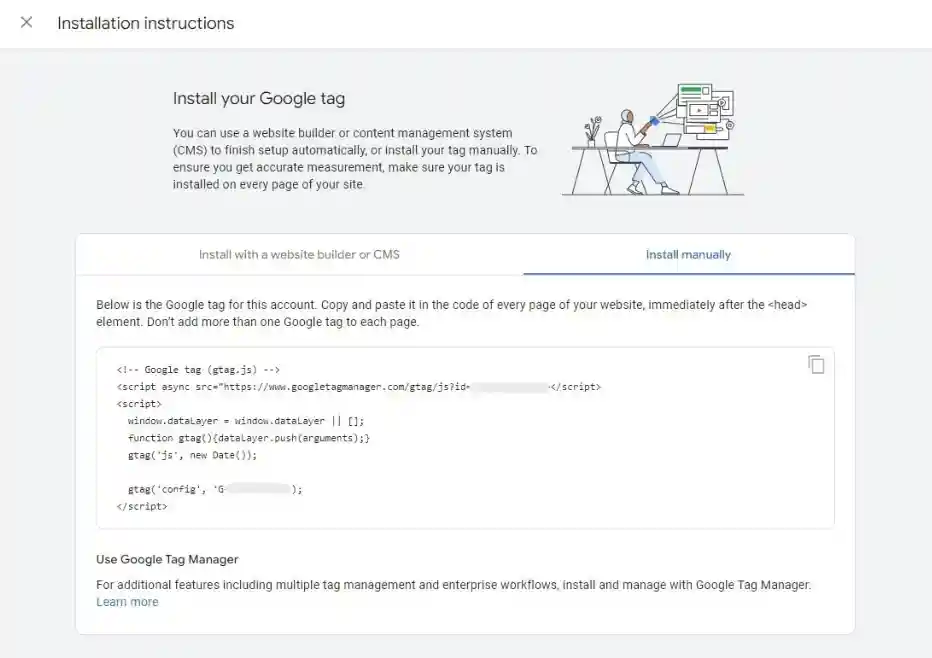
Install Tracking Code
Copy tracking code and paste inside <head>.
Tracking code placement
STEP 04
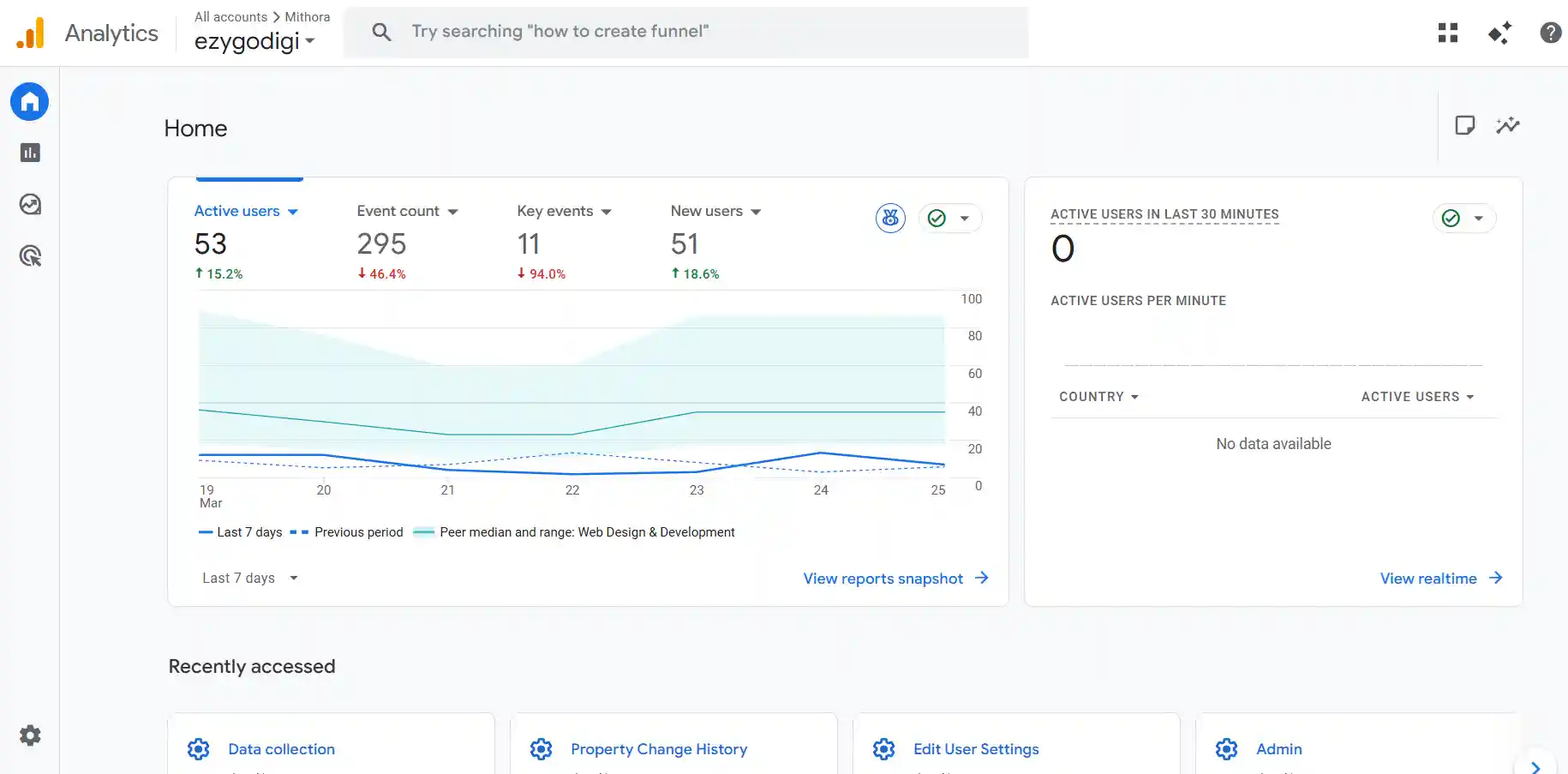
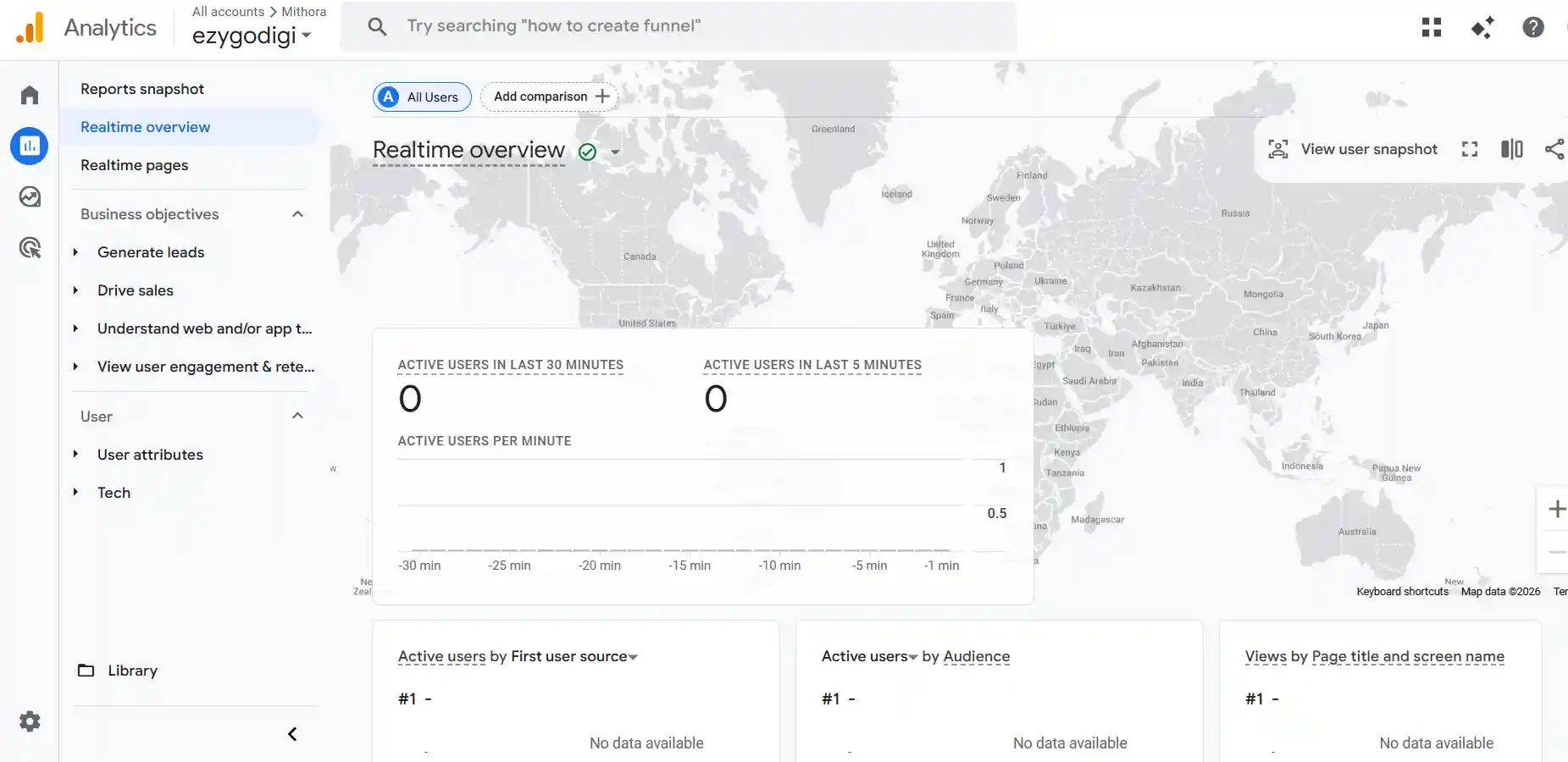
Verify Data
Check real-time report to confirm tracking.
Real-time analytics
BONUS
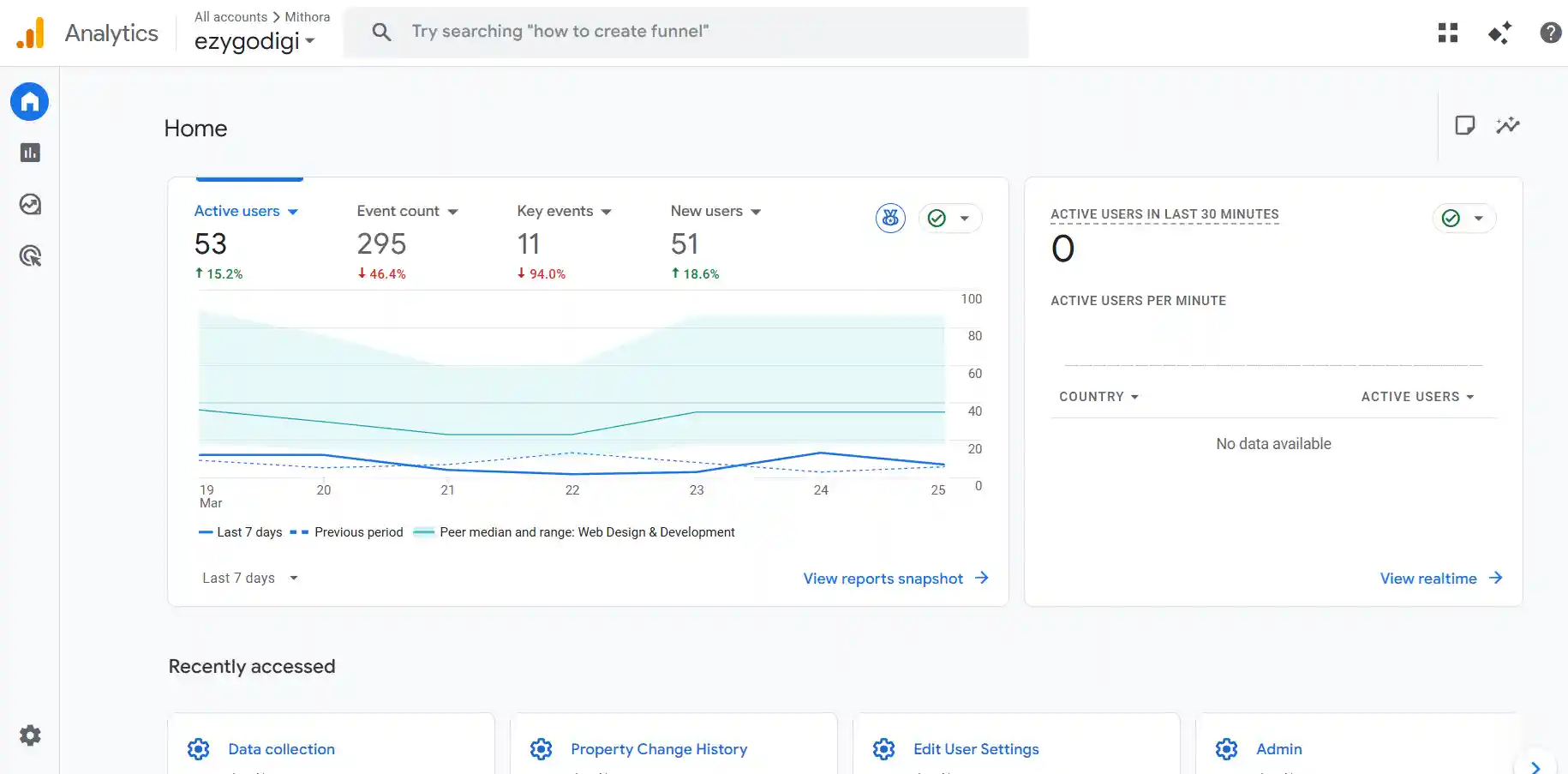
How Your Data Looks After Setup
Once your GA4 is properly configured, you’ll start seeing real-time visitors, traffic sources, and user behavior. This helps you understand where your customers are coming from and what they are doing on your website.
GA4 dashboard showing traffic overview, users, and engagement
Real-time report showing active users on your website